


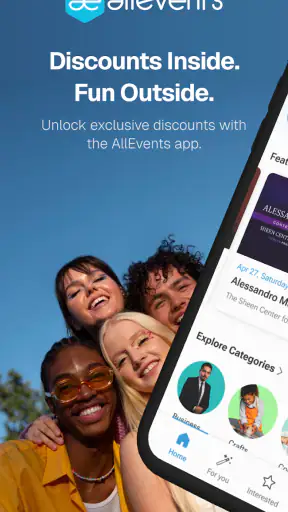
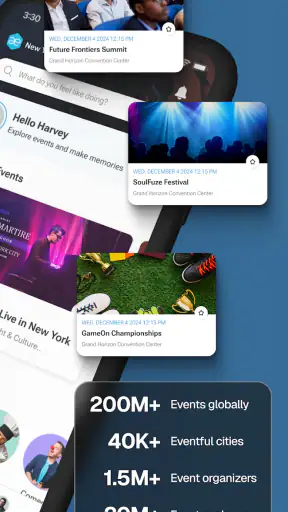
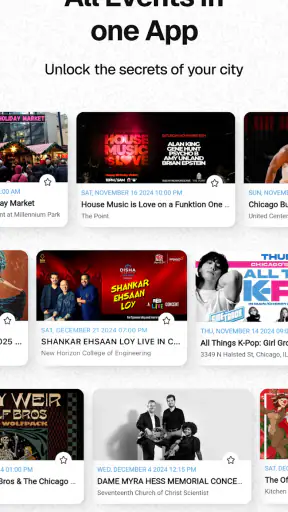
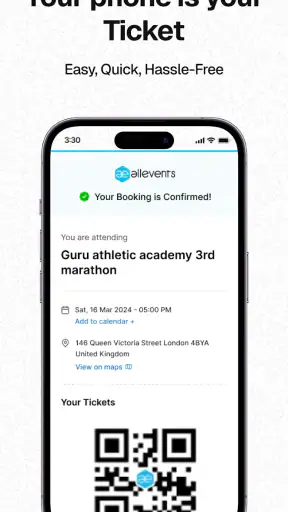
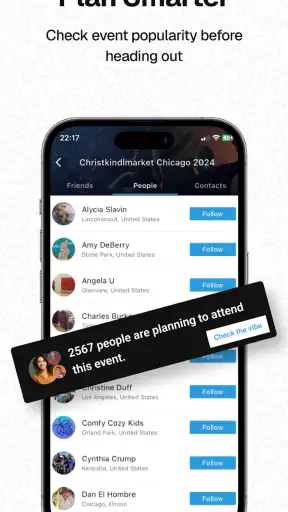
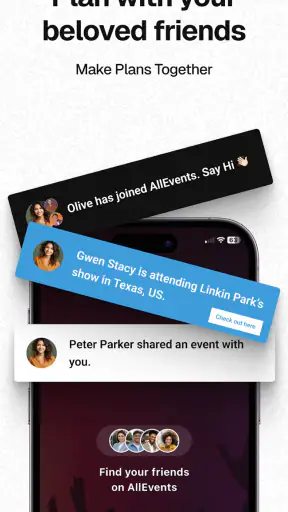
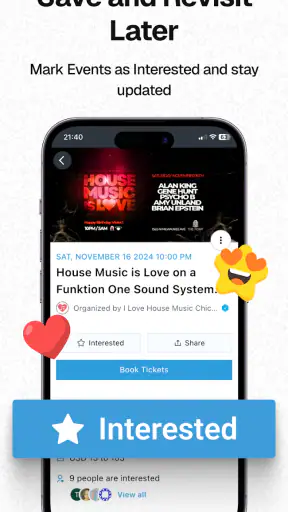
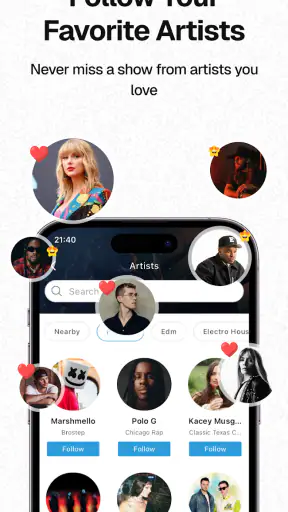
Finding something worthwhile to do nearby sounds easy until I actually try to compare concerts, workshops, food events, community gatherings, exhibitions, and one-off experiences in the same place. AllEvents - Discover Events is built for that discovery problem. It is a free events app from Amitech Business Solutions, and I found its main appeal in the way it turns a vague question—“What can I do this weekend?”—into a browseable list of possibilities.
I would describe it as a discovery tool rather than a complete replacement for every ticketing or venue app. That distinction matters. It can help me notice events I would otherwise miss, but I still need to check the important details before committing to a plan. For someone who enjoys exploring local activities, that trade-off is reasonable. For someone who already knows the exact organizer or venue they want, a dedicated official source may be more direct.
How the app earns trust when I am browsing unfamiliar events
The app has been available since January 2, 2012, which gives it a long presence in the events category. Its current version is 12.6.2, and it runs on Android 7.0 or later. Those details make it accessible to people using older Android phones, although the experience can still vary depending on the device and how actively an event organizer maintains its listing.
Its audience is also substantial: the app has passed one million installs, with an average rating of 4.7 from around fourteen thousand ratings and 594 written reviews. I do not treat popularity or a strong rating as proof that every listing is reliable, but it does make the service feel established enough to investigate rather than dismiss as an obscure event directory.
The developer is Amitech Business Solutions, and the app is listed as suitable for Everyone. It is free to install, which makes trying it low-risk from a financial point of view. The more important question is not whether opening the app costs anything, but whether the information presented is clear enough for me to make a sensible decision about attending an event.
That is where I recommend a cautious habit. I use the app to discover an event, then I read the listing carefully and look for the practical details that affect my decision: the location, date, time, organizer, booking instructions, and any conditions shown on the event page. I do not assume that appearing in a discovery feed is the same as receiving an endorsement.
This approach is especially useful because event information can change. A venue may alter its schedule, an organizer may update entry requirements, or a free-looking activity may direct me to a separate registration process. The app is valuable at the search stage, but I still treat the organizer’s latest instructions as the final checkpoint before I travel or pay.
What the browsing experience is genuinely good at
The strongest use case is open-ended planning. When I do not have a specific event in mind, a broad events app is more useful than searching several venue pages one by one. I can begin with a general interest, scan what is available, and narrow my attention to activities that fit my time and mood.
That makes it practical for several different situations. I might be looking for something to do after work, planning a low-pressure weekend with friends, searching for a family-friendly activity, or visiting a city and wanting more than the usual tourist suggestions. The app’s value comes from widening the starting point of the search.
A less obvious benefit is that discovery can reveal the shape of a local events scene. Instead of searching only for “concerts” or “restaurants,” I can notice classes, talks, markets, social gatherings, and smaller experiences that do not appear in my usual routine. That is the kind of browsing I would not get from a single venue’s calendar.
I also find it useful to separate browsing from decision-making. On a quiet evening, I can collect a few possibilities without immediately buying anything. Later, I compare the practical details and decide which one deserves my time. This prevents the common mistake of choosing the first attractive event card and only afterward discovering that the location or schedule does not work.
A realistic everyday workflow
Imagine I have friends visiting on Saturday and nobody wants to repeat the same café or cinema plan. I would open the app with a broad idea rather than a fixed answer, browse nearby options, and keep a short list of events that match the group’s interests. Then I would check travel time, start time, booking requirements, and the organizer’s own instructions before sending the group a recommendation.
The useful part is not simply finding one result. It is creating a small comparison set. One event may be closer, another may suit the weather better, and a third may offer a more interesting experience even if it requires more planning. The app helps with the first stage, while my own checks handle the final choice.
For group planning, I would avoid presenting an event as confirmed until I had checked its current details. This is a small but important workflow improvement. It keeps the app in its proper role: a place to discover possibilities, not a reason to skip verification.
Where it differs from familiar alternatives
The usual alternative is searching Google, social networks, venue calendars, or ticketing services separately. Those options can be better when I already know the name of an organizer, performer, venue, or event. They may also provide more direct booking information because they are closer to the source.
AllEvents is more useful earlier in the process, when I am still deciding what kind of activity I want. Its broad approach can save time compared with opening many unrelated pages. The downside is that a wide directory may require more judgment from me. I have to distinguish a useful, current listing from one that needs additional checking.
Compared with a dedicated ticketing app, I would expect less emphasis on completing a purchase in one controlled flow and more emphasis on discovery. That is not automatically a weakness; it depends on my goal. If I want inspiration, the broader catalog is an advantage. If I want a verified ticket for a specific show, I would rather use the organizer or ticket provider directly.
Compared with social media, the app offers a more intentional way to search for activities instead of waiting for an algorithm or a friend’s post to surface something. Social platforms can provide richer personal context, but they can also bury useful details in captions, comments, or temporary posts. I prefer the app when I want to browse events as events rather than as incidental content.
Controls, choices, and moments that deserve extra care
What I look for before allowing access
Trust is not only about how many events an app shows. It is also about whether I understand the choices I am making while using it. Before granting any optional device access, I would read the Android permission prompt carefully and consider whether the requested access is necessary for the action I want to perform. I do not enable access automatically just because an app is useful.
If I only want to browse, I prefer to begin with the least amount of access needed for that task. If a location-based experience is offered, I would consider whether I want to provide a precise location, use a broader location choice, or search manually instead. The right decision depends on the controls displayed on my device and in the app at that moment, so I would use the visible options rather than assume every feature requires the same access.
This is one of the app’s important practical trade-offs. Nearby discovery is more convenient when the app can understand where I am, but manual searching gives me more control over what I reveal. Someone who frequently moves between cities may prefer entering a destination directly, while someone planning a spontaneous evening may accept location access for convenience.
I also pay attention to notifications. Event reminders can be useful, especially when I am tracking changing plans, but frequent alerts can become distracting. I would enable only the notifications that help me act, then review the system controls if the app becomes noisy. A good discovery tool should fit around my schedule rather than compete with it.
Data-sensitive moments during event discovery
The most sensitive moment may not be opening the app; it may be deciding whether to register for an event or continue to an external booking process. At that point, I slow down. I check who is asking for information, what the information is needed for, and whether the request is proportionate to the activity.
For a public event, I would be cautious about entering personal details into a form I did not expect. I would also avoid assuming that a free event requires more information than a paid or reserved one. If the process moves away from the discovery experience, I treat that new page as a separate decision point and read its terms and fields before submitting anything.
Another useful habit is separating event interest from personal identity. I can browse broadly without immediately attaching every possible plan to an account or sharing it with others. When I do need an account or registration, I would use a password that is not reused elsewhere and review any visible profile or communication choices rather than accepting every option by default.
I would also be careful with location details in shared plans. Sending an event page to a friend is different from publishing my own schedule publicly. If I am planning a private gathering, I would share only the information needed by the people involved and use the platform’s visible sharing choices thoughtfully.
How much control does a user really have?
My sense of control comes from making small, deliberate choices: whether to use location assistance, whether to receive alerts, whether to register, and whether to follow an external booking route. I value apps that let me decide these things separately instead of treating discovery as permission to do everything else.
On Android, I would periodically review the app’s permissions through system settings, especially after an update. I would also check notification settings and remove access that no longer matches how I use the app. This is not unique to AllEvents, but it is particularly sensible for an app whose usefulness can tempt me to leave every convenience switched on.
The same principle applies to account controls. If I stop using the app, I would look through the visible profile, sign-in, notification, and device settings before uninstalling it. Uninstalling removes the app from the phone, but it is not a substitute for reviewing any account or registration choices I may have made elsewhere.
I do not see this as a reason to avoid the app. It is simply the right level of care for an events service that can connect casual browsing with real-world plans. The app helps me find possibilities; I remain responsible for deciding what information to share and which organizer or booking process to trust.
Small techniques that make the app more useful
My first technique is to search with a purpose but browse with flexibility. Instead of entering one narrow phrase and stopping, I would try nearby interests that could lead to different types of events. Someone searching for a music night, for example, might also find community performances, cultural programs, or workshops that suit the same evening.
My second technique is to compare logistics before comparing excitement. Attractive event titles can make me overlook travel, timing, or registration steps. I would put the practical facts into a quick shortlist first, then choose among the options that are genuinely workable.
My third technique is to revisit an event close to the day of attendance. This is especially important for anything involving a specific venue, limited entry, or an external registration route. A second look can catch an updated instruction that was not relevant when I first discovered the listing.
A fourth useful habit is using the app for inspiration but keeping a separate confirmation note. I might save the event name, venue, time, and booking status in my calendar or notes after checking them. That gives me a reliable plan without requiring me to remember where I first saw the event.
These habits also expose the app’s main limitation: discovery is not the same as certainty. The wider the range of listings, the more valuable my own final check becomes. I would not use the app as my only source for a non-refundable trip, a time-critical appointment, or an event where accessibility and entry rules are essential unless I had confirmed those details directly.
Who should use it, and who may prefer something else?
I think the app is a strong fit for curious people who enjoy finding local activities without knowing exactly what they want in advance. It is also useful for visitors, flexible weekend planners, and anyone tired of checking several separate calendars. The free price makes experimentation easy, and the Everyone age rating keeps its intended audience broad.
I would be more cautious recommending it as the only tool for someone who needs guaranteed ticketing, highly specialized event information, or a tightly controlled booking experience. In those cases, the official venue, organizer, or established ticket provider may offer a clearer chain of responsibility.
It may also be a poor match for someone who dislikes browsing or does not want to verify details independently. The app can reduce the effort of finding options, but it cannot remove the judgment involved in choosing a trustworthy event. If I already know exactly where I want to go, opening the venue’s own app may be faster.
For privacy-conscious users, I would recommend starting conservatively with device permissions, notifications, and account choices. That does not prevent useful browsing. It simply means using manual search or limited access when those options are available and reviewing the choices again if the way the app is used changes.
My cautious verdict
After using it as an event-discovery companion, I see AllEvents as most valuable at the beginning of a plan. It broadens my options, helps me escape repetitive searches, and makes local activities easier to compare. Its long availability, large user base, free access, and strong average rating support the impression that it is a well-established option in this category.
My recommendation comes with one clear rule: use it to discover, then verify before you commit. Check the event’s practical information, understand where registration leads, and make deliberate choices about location, notifications, account details, and personal information. That workflow gives me the convenience of a broad event directory without handing over more control than necessary.
I would recommend it to a friend who says, “There must be something interesting happening nearby, but I do not know where to look.” I would not recommend relying on it alone when the cost of a mistake is high or when an official source is readily available. Used with that distinction in mind, it is a genuinely useful free app for turning spare time into better-informed plans.


